
Shooting in Hybrid Auto Mode (PowerShot N2)
Solution
You can make a short movie of the day just by shooting still images. The camera records 2 – 4-second clips of scenes before each shot, which are later combined in a digest movie.
The procedure for shooting in Hybrid Auto Mode is explained below.
1. Set the mode switch to <  >, and press the <Power> button to turn the camera on.
>, and press the <Power> button to turn the camera on.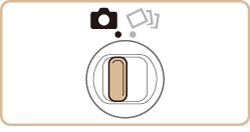
2. Touch [AUTO].
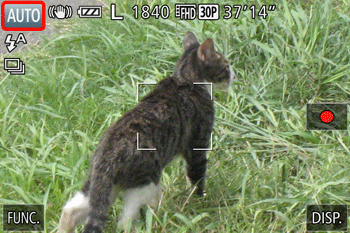
3.Touch [  ] or [
  ], drag the screen vertically, and touch [Hybrid Auto ].
] or [ ], drag the screen vertically, and touch [Hybrid Auto ].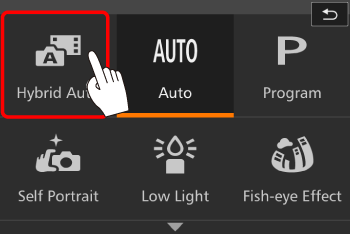
- To confirm your choice, touch [OK].
4. Compose the shot.
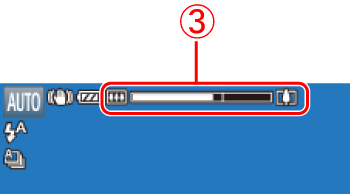
If the zoom ring is turned in the direction of  , the subject gets larger. If the zoom ring is turned in the direction of
  , the subject gets smaller (A zoom bar
  showing the zoom position is displayed).
, the subject gets larger. If the zoom ring is turned in the direction of , the subject gets smaller (A zoom bar showing the zoom position is displayed).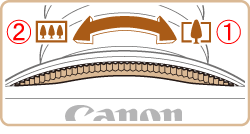
4. Focus.
- Press the shutter ring halfway. The camera beeps twice after focusing, and AF frames are displayed to indicate image areas in focus.
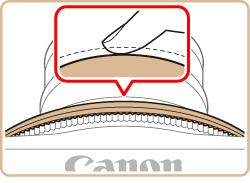
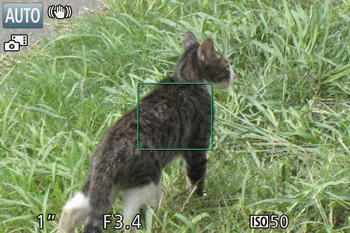
- Several AF frames are displayed when multiple areas are in focus.
- For more impressive digest movies, aim the camera at subjects about four seconds before shooting still images.
5. Press the shutter ring all the way down to shoot.
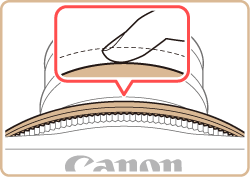
- As the camera shoots, a shutter sound is played, and in low-light conditions, the flash fires automatically.
- Keep the camera still until the shutter sound ends.
- After displaying your shot, the camera will revert to the shooting screen.
- The camera records both a still image and movie clip. The clip, which ends with the still image and a shutter sound, forms a single chapter in the digest movie.
IMPORTANT
- Battery life is shorter in this mode than in [
 ] mode, because digest movies are recorded for each shot.
 - A digest movie may not be recorded if you shoot a still image immediately after turning the camera on, choosing [
 ] mode, or turning the camera upside down.
 - Camera operating sounds will be recorded in digest movies.
NOTE
- Digest movie quality is [
 ] and cannot be changed.
 - Sounds are not played when you press the shutter ring halfway or trigger the self-timer.
- Digest movies are saved as separate movie files in the following cases even if they were recorded on the same day in < > mode.
- The digest movie file size reaches approximately 4 GB, or the total recording time reaches approximately 13 minutes and 20 seconds.
- Daylight saving time or time zone settings are changed.
- Recorded shutter sounds cannot be modified or erased.
- If you prefer to record digest movies without still images, adjust the setting in advance. Touch [FUNC.] > [MENU] > [
 ] tab > [Digest Type] > [No Stills].
 - Individual chapters can be edited.