
Changing the Aspect Ratio (PowerShot SX60 HS)
Solution
You can change the image aspect ratio (ratio of width to height).
| Aspect Ratio Settings | |
 | Used for display on widescreen HDTVs or similar display devices. |
 | Same aspect ratio as 35mm film, used for printing images at 5 x 7-inch or postcard sizes. |
 | Native aspect ratio of the camera screen, also used for display on standard-definition televisions or similar display devices, or for printing images at 3.5 x 5-inch or A-series sizes. |
 | Square aspect ratio. |
 | Aspect ratio commonly used for portraits. |
IMPORTANT
Shooting modes in which aspect ratio cannot be changed, or in which limited aspect ratios are available are shown below:
[Hybrid Auto] ( ), [Creative Shot] (
 ), [Handheld NightScene] (
 ), [Low Light] (
 ), [High Dynamic Range] (
 ), [Fish-eye Effect] (
 ), [Miniature Effect] (
 )*, [Toy Camera Effect] (
 ), [Soft Focus] (
 ), [Movie] (
 ), [Manual (Movie)] (
 ), iFrame Movies (
 ), [Super Slow Motion Movie] (
 )
)
), [Creative Shot] (), [Handheld NightScene] (), [Low Light] (), [High Dynamic Range] (), [Fish-eye Effect] (), [Miniature Effect] ()*, [Toy Camera Effect] (), [Soft Focus] (), [Movie] (), [Manual (Movie)] (), iFrame Movies (), [Super Slow Motion Movie] ()*[4:3] or [16:9] can be selected
1. Press the <Power> button to turn the camera on.
2. Press the < > button.
> button.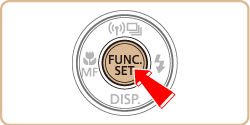
3. A screen similar to the example images below will appear.
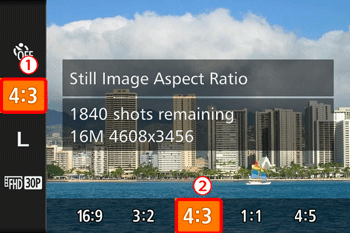
 Press the <
 ><
>< > buttons to choose [Still Image Aspect Ratio].
 Press the <
 ><
>< > buttons to choose the desired aspect ratio.
Then, press the <> button.
> button.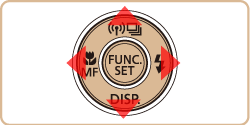
4. The selected aspect ratio will be set.