
Choosing Subjects to Focus On (Tracking AF) (PowerShot SX700 HS)
Solution
You can shoot after choosing a subject to focus on.
IMPORTANT
- [Servo AF] is set to [On] and cannot be changed.
- Tracking may not be possible when subjects are too small or move too rapidly, or when subject color or brightness matches that of the background too closely.
- [AF-Point Zoom] on the [
 ] tab of the MENU is not available.
 - [Macro] (
 ) is not available.
 - •In the following example procedure, the camera's shooting mode has been set to [Program AE] (
 ).
).
1. Turn on the camera.
2. Press the < > button, choose [AF Frame] on the [Shooting] (
  ]) tab, and then choose the [Tracking AF].
> button, choose [AF Frame] on the [Shooting] ( ]) tab, and then choose the [Tracking AF].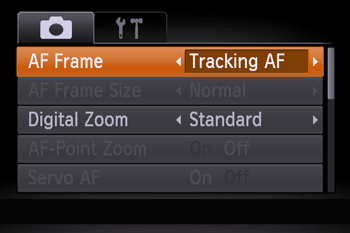
3. [  ] is displayed in the center of the screen. Aim the camera so that [ ] is on the desired subject, and then press the <
 > button.
] is displayed in the center of the screen. Aim the camera so that [ ] is on the desired subject, and then press the <> button.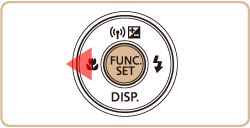
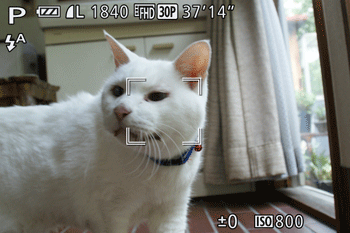
- When the subject is detected, the camera beeps and ( ) is displayed. Even if the subject moves, the camera will continue to track the subject within a certain range.
) is displayed. Even if the subject moves, the camera will continue to track the subject within a certain range.-If no subject is detected, () is displayed.
) is displayed.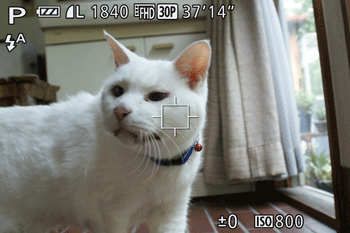

REFERENCE
- To cancel (), press the <> button again.]
- The camera can detect subjects even if you press the shutter button halfway without pressing the <> button. After your shot, [ ] is displayed in the center of the screen.
- When shooting in [
 ] mode, press and hold the <> button for at least one second.
 - If [Face ID] is set to [On], names will not display when registered people are detected, but the names will be recorded in the still images. However, a name will display if the subject chosen to focus on is the same as a person detected with Face ID.
4. Press the shutter button halfway. () changes to a blue ( ) which follows the subject as the camera continues to adjust the focus and exposure (Servo AF).
) changes to a blue () which follows the subject as the camera continues to adjust the focus and exposure (Servo AF).Press the shutter button all the way down to shoot.
- Even after your shot, () is still displayed and the camera continues to track the subject.
) is still displayed and the camera continues to track the subject.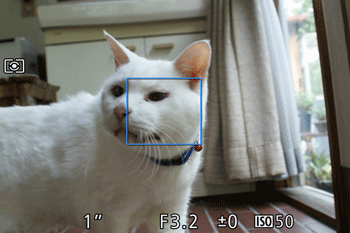
 ,
,
 ,
,
 ,
,
 ,
,
 ,
,
 ,
,
 ,
,
 ,
,
 ,
,
 ,
,
 ,
,
 ,
,
