Preventing the flash from firing (PowerShot SX600 HS)
Solution
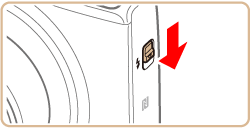
To prevent the flash from firing during shooting, push it down with your finger, into the camera.
The flash mode will be set to [Off]  automatically when the flash is lowered.
automatically when the flash is lowered.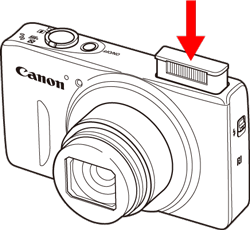
NOTE
- As the flash will not fire when it is lowered, the setting screen cannot be accessed by pressing the <
 > button.
When you want the flash to fire, move the < > switch to raise the flash, and then push the <> button to configure the setting.
> switch to raise the flash, and then push the <> button to configure the setting.