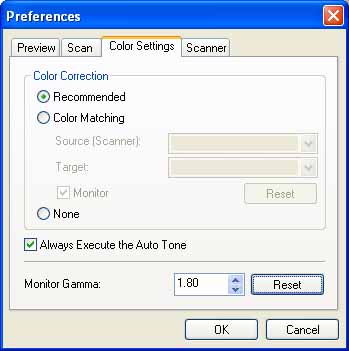
How to Access the [Color Correction] Setting in ScanGear MF (MF4680)
Solution
1. In the [Advanced] tab of ScanGear MF, click [Preferences].
2. In [Preferences], click the [Color Settings] tab.
3. In the [Color Settings] tab, select [Color Matching] for [Color Correction].