How to Specify the Paper Source with the MF Toolbox, ScanGear MF, or WIA Driver (MF4680)
Solution
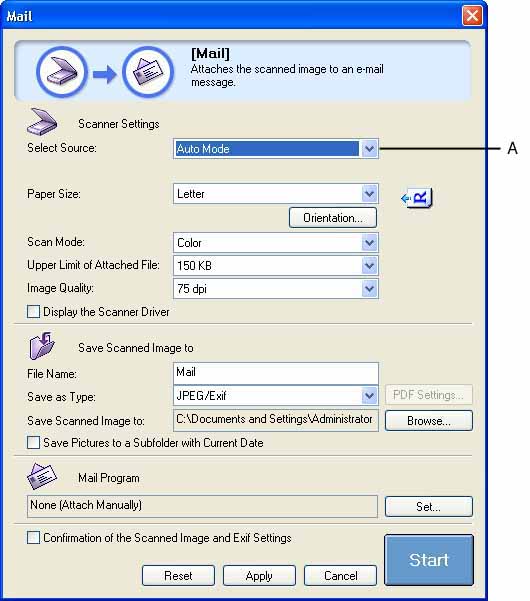
 MF Toolbox
1. Select where the document is placed in [Select Source].
 ScanGear MF
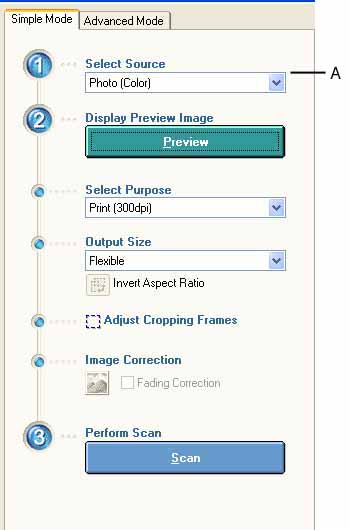
- In the Simple Mode Tab
1. Select where the document is placed in [Select Source].
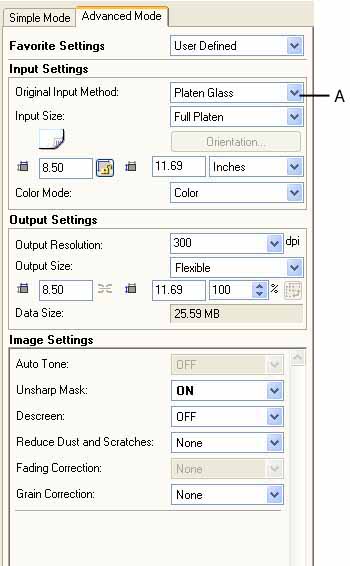
- In the Advanced Mode Tab
1. In [Original Input Method], select where the document is placed from [Platen Glass] or [ADF (1-sided)].
 WIA Driver
- Windows XP:
1. In [Paper source], select where the document is placed.
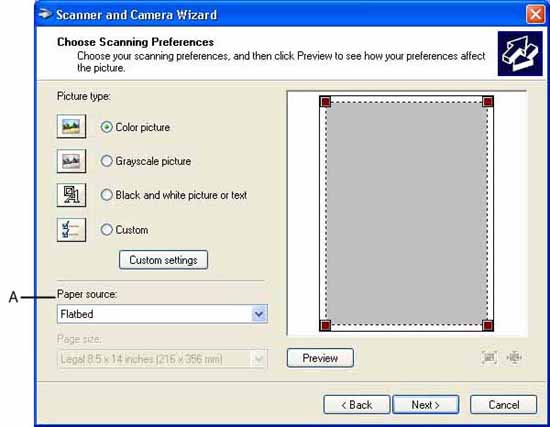
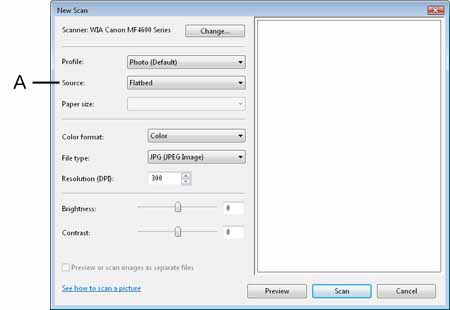
- Windows Vista:
1. In [Source] in the [New Scan] Dialog Box, select where the document is placed.